
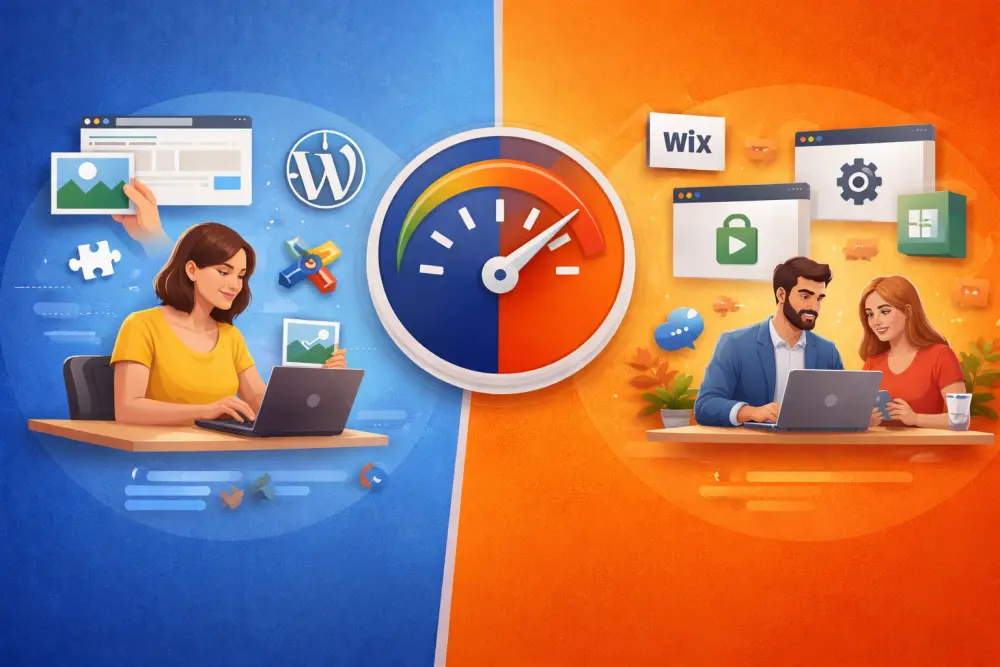
The Simplest and Fastest Way to Build a Website in 2026
You need a website. You need it to look professional. And you'd rather not spend the next three weeks learning software just to put your opening hours online.
Sound familiar?
Whether you're a craftsperson, a local merchant, a healthcare provider or a small association — getting your business online shouldn't require a diploma in web design. Yet if you've ever tried WordPress or Wix, you may have felt exactly that pressure.
In this article, we compare the three most common approaches to building a website — WordPress, Wix, and Webvite — so you can pick the right one for your situation.
The Real Question: What Do You Actually Need?
Before diving into a comparison, let's be honest about what most small businesses actually need from a website:
- Their name, address and opening hours
- A short description of their services or products
- A way for customers to contact them
- Maybe some photos, reviews, or upcoming events
- A site that looks good on mobile and shows up on Google
That's it. No custom checkout flow. No drag-and-drop experiments. Just a clean, professional online presence that works.
With that in mind, let's look at each tool.
WordPress: Powerful, But Not Built for Simplicity
WordPress powers over 40% of the web — a remarkable achievement. But that power comes with significant complexity.
To launch a WordPress site, you typically need to:
- Purchase and configure web hosting
- Install WordPress and choose a theme (there are thousands)
- Install plugins for SEO, contact forms, performance, security, backups…
- Learn how the block editor (Gutenberg) works
- Keep everything updated to avoid security issues
Even with a good theme and page builder like Elementor, expect to invest several days before your site is presentable — and ongoing maintenance after that.
WordPress is ideal if: you need a fully custom site, a blog with complex editorial workflows, or an e-commerce platform with specific requirements.
WordPress is overkill if: you just want to be found online and show what you do.
Wix: Easier, But Still a Blank Canvas
Wix dramatically lowered the barrier to entry for website creation. Its drag-and-drop editor is intuitive, and you can get something online in a day without touching code.
But "easier than WordPress" doesn't mean "easy."
Here's what Wix still asks of you:
- Choose a template from hundreds of options (decision fatigue is real)
- Drag and arrange blocks — every section needs manual placement
- Write all your copy from scratch, with no structure to guide you
- Configure SEO settings manually, page by page
- Manage app integrations for analytics, maps, reviews, etc.
Wix also has a tendency to produce sites that look subtly amateurish unless you have a good eye for design. The freedom of a blank canvas is only an advantage if you know what to do with it.
Wix is ideal if: you enjoy designing and want visual control over your layout.
Wix is frustrating if: you just want to fill in your information and be done with it.
Webvite: The Opinionated Approach to Getting Online Fast
Webvite takes a fundamentally different approach. Instead of giving you a blank canvas, it asks you the right questions — and builds your site from your answers.
There's no drag-and-drop. No template selection. No plugin management. You don't move blocks around.
Here's how it works:
1. Fill in your information
Webvite provides structured forms for every piece of content a business website typically needs:
| Content Type | What you fill in |
|---|---|
| Identity | Name, address, hours, contact details |
| Services / Products | Title, description, photo |
| News & Events | Title, date, description |
| Team (Persons) | Name, role, photo |
| FAQ | Question + answer pairs |
| Pages | Custom content pages |
You fill in what's relevant to your business. You skip what isn't.
2. Choose your modules
Not every business needs an events section or a team gallery. In Webvite, enabling or disabling a section is as simple as checking a box. Your site adapts instantly — no empty sections, no broken layouts.
3. Your site is live
That's genuinely it. Webvite handles the design, the mobile optimization, the dark mode support, the SEO structure and the hosting. You get a professional result at your-company.webvite.eu — and you can connect your own domain whenever you're ready.
Side-by-Side Comparison
| WordPress | Wix | Webvite | |
|---|---|---|---|
| Time to launch | Days to weeks | Hours to days | Under 5 minutes |
| Technical skills required | High | Low–Medium | None |
| Design decisions required | Many | Many | None |
| Mobile-optimized | Depends on theme | Yes | Yes, always |
| SEO setup | Manual (plugins) | Partial | Built-in, automatic |
| Hosting included | No (separate) | Yes | Yes |
| Custom domain | Yes | Yes (paid) | Yes (Pro plan) |
| Maintenance required | Regular | Occasional | None |
| Ideal for | Developers, agencies | Design-minded users | Small businesses, craftspeople, associations |
Why "Opinionated" Is a Feature, Not a Limitation
You might read "no customization" and feel hesitant. But consider the alternative.
Every hour you spend choosing between fonts, rearranging cards and tweaking margins is an hour you're not spending on your actual business. For the vast majority of local businesses, a well-structured, consistently designed, fast-loading site beats a hand-crafted one — because it actually gets finished and published.
Webvite is opinionated by design. The layout decisions are made for you, by people who care about accessibility, performance and readability. The result is a site that looks professional without requiring you to become a designer.
"It's not a complex site builder. You don't move blocks. You simply fill in forms and the site updates magically."
Who Is Webvite For?
Webvite is the right choice if you identify with one or more of these:
- You're a craftsperson, tradesperson or independent professional who needs an online presence
- You run a local shop, restaurant, or practice and want customers to find you
- You manage a small association and need a clean, information-focused site
- You've tried WordPress or Wix before and gave up halfway
- You want something live today, not next month
Conclusion: The Fastest Website Is the One You Actually Launch
The best website builder is the one that removes the most friction between you and being online.
WordPress gives you infinite power — if you're willing to invest the time to learn it. Wix gives you creative freedom — if you enjoy making design decisions. Webvite gives you a professional, live website in under five minutes — if all you want is to focus on your business.
Create your free site on Webvite →
No credit card required. No technical skills needed. Your site, live today.